 Support

I am happy and proud to tell you about exciting new features in Dataedo 7.2 that has just been released. Let's have a look.
<iframe width="560" height="315" src="https://www.youtube.com/embed/FdPR9YU1tDM" frameborder="0" allow="accelerometer; autoplay; encrypted-media; gyroscope; picture-in-picture" allowfullscreen></iframe>Schema change tracking (Enterprise feature)
With Dataedo Enterprise you can now track and describe changes made to the schema of your databases. Each time Dataedo imports changes from the database it saves changes such as new tables, columns or changed data type to special tables. You can run a report to see a summary of those changes by database, module or specific object.
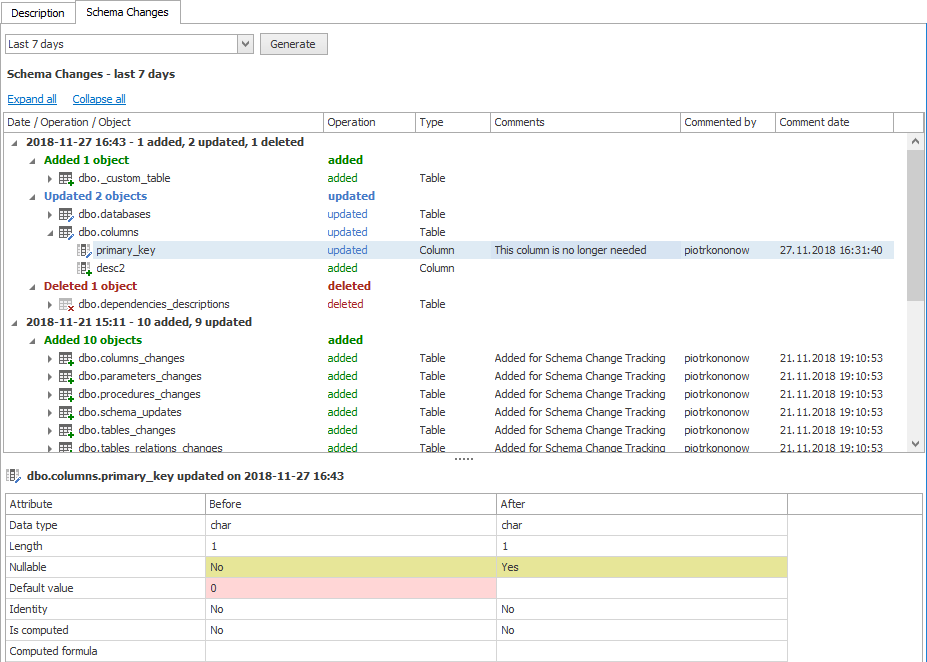
Documentation of schema change tracking
New custom field types (drop-downs)
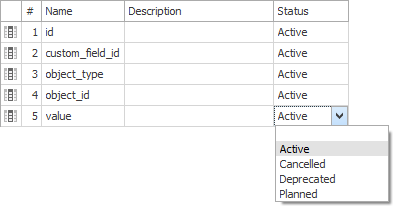
Dataedo allows you to define additional (custom) text fields for each schema element - column table, et. From 7.2 you can define a list of allowed values, have a lookup field, binary or integer column.
Improved progress tracking
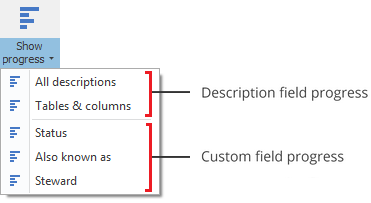
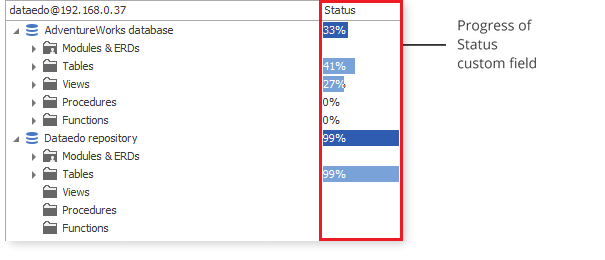
One of the appreciated features of Dataedo was the progress tracking - a view hat shows how many database elements have any descriptions. Now you can track the same for other (custom) fields and have progress for the descriptions of core schema elements.
Description suggestions
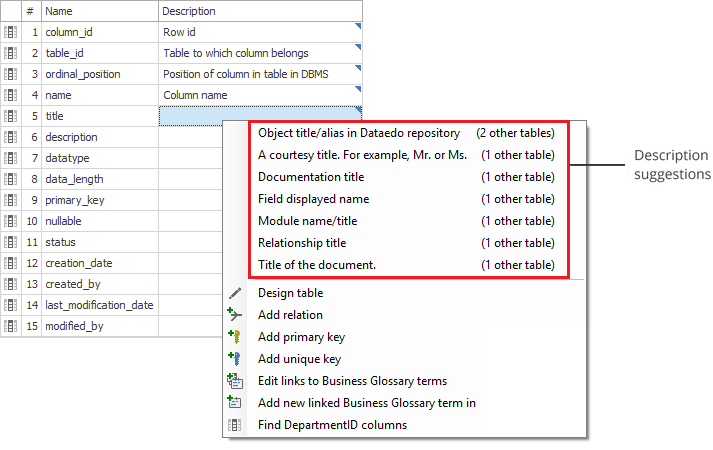
Dataedo 7.2 now suggests texts for columns descriptions, titles or text custom fields based on texts from other columns. Those suggestions are hinted by blue marker and available in context menu.
Next steps
For more details see the release notes:
Get Dataedo 7:
