


 Michał Trybulec
Reliable dashboards built on SQL Server require more than successful queries and scheduled jobs. Without a consistent quality workflow, teams eventually face broken KPIs, conflicting reports, and slow incident recovery across ETL, database, and BI layers.
In this guide, you’ll learn:
- which SQL Server data quality controls deliver the most value first,
- how to prioritize rules using business impact and lineage context,
- how to connect quality with ownership and governance,
- and how Dataedo helps operationalize SQL Server quality workflows.
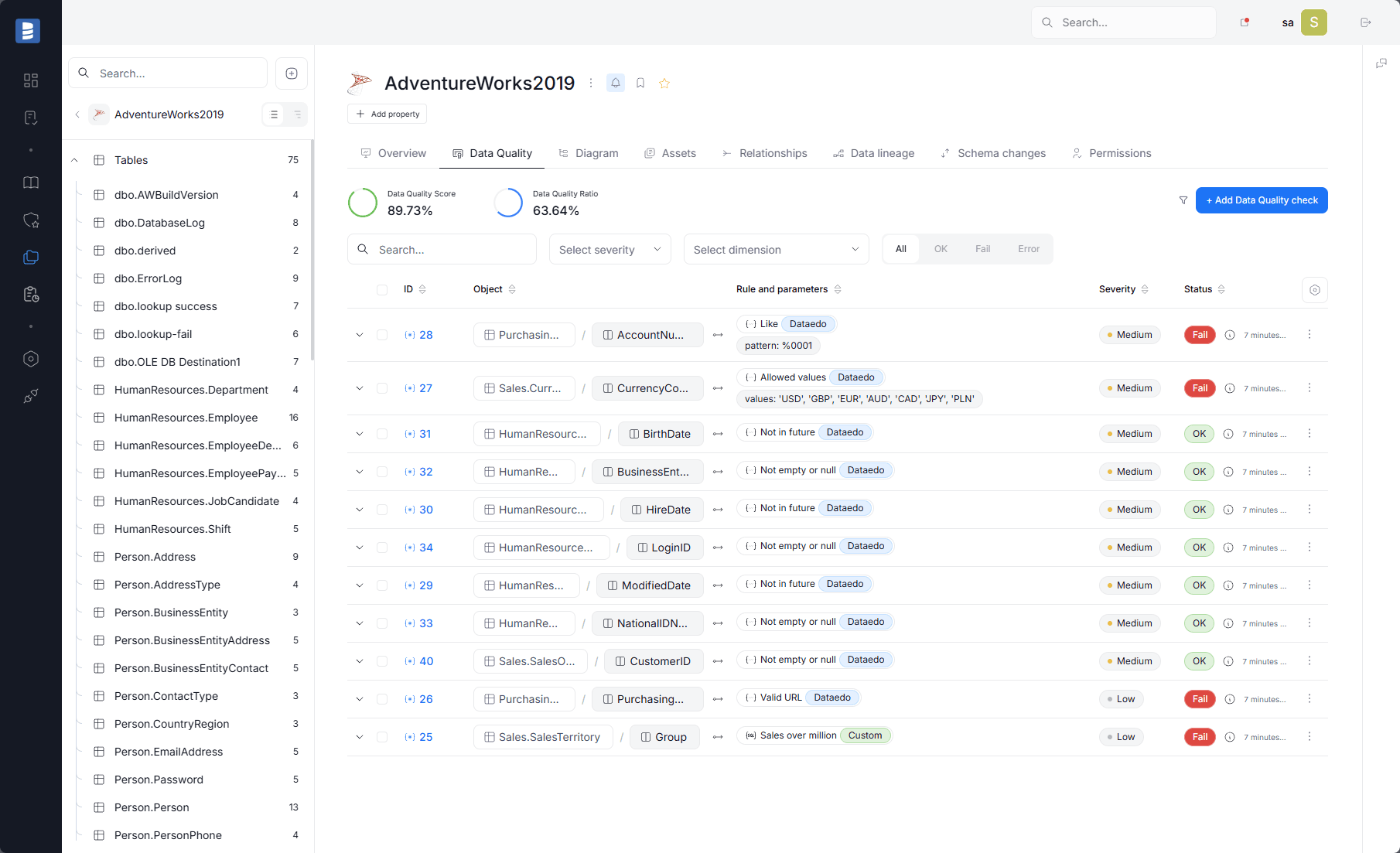 SQL Server asset overview in Dataedo with Data Quality score, ratio, and rule activity indicators.
What SQL Server Data Quality Means in Practice
Data quality should be evaluated against business usage, not abstract perfection.
For SQL Server analytics environments, quality means data is fit for:
- KPI reporting,
- operational dashboards,
- financial and compliance reporting,
- downstream semantic and BI models.
Core dimensions usually include:
- completeness,
- uniqueness,
- validity,
- consistency,
- timeliness.
Why Quality Programs Fail in SQL Server Environments
Frequent failure patterns:
- too many low-value rules and unclear prioritization,
- no explicit owner for failed rule outcomes,
- no linkage between quality defects and downstream impact,
- checks treated as audits instead of release controls,
- rule intent not tied to documented business definitions.
The result is alert fatigue and low trust in the quality program itself.
Quality Rule Categories to Start With
1. Completeness Rules
Validate required identifiers and business-critical fields.
Examples:
- customer_id is never null in curated reporting tables,
- invoice_date exists for posted invoices,
- foreign keys used in reporting joins are populated.
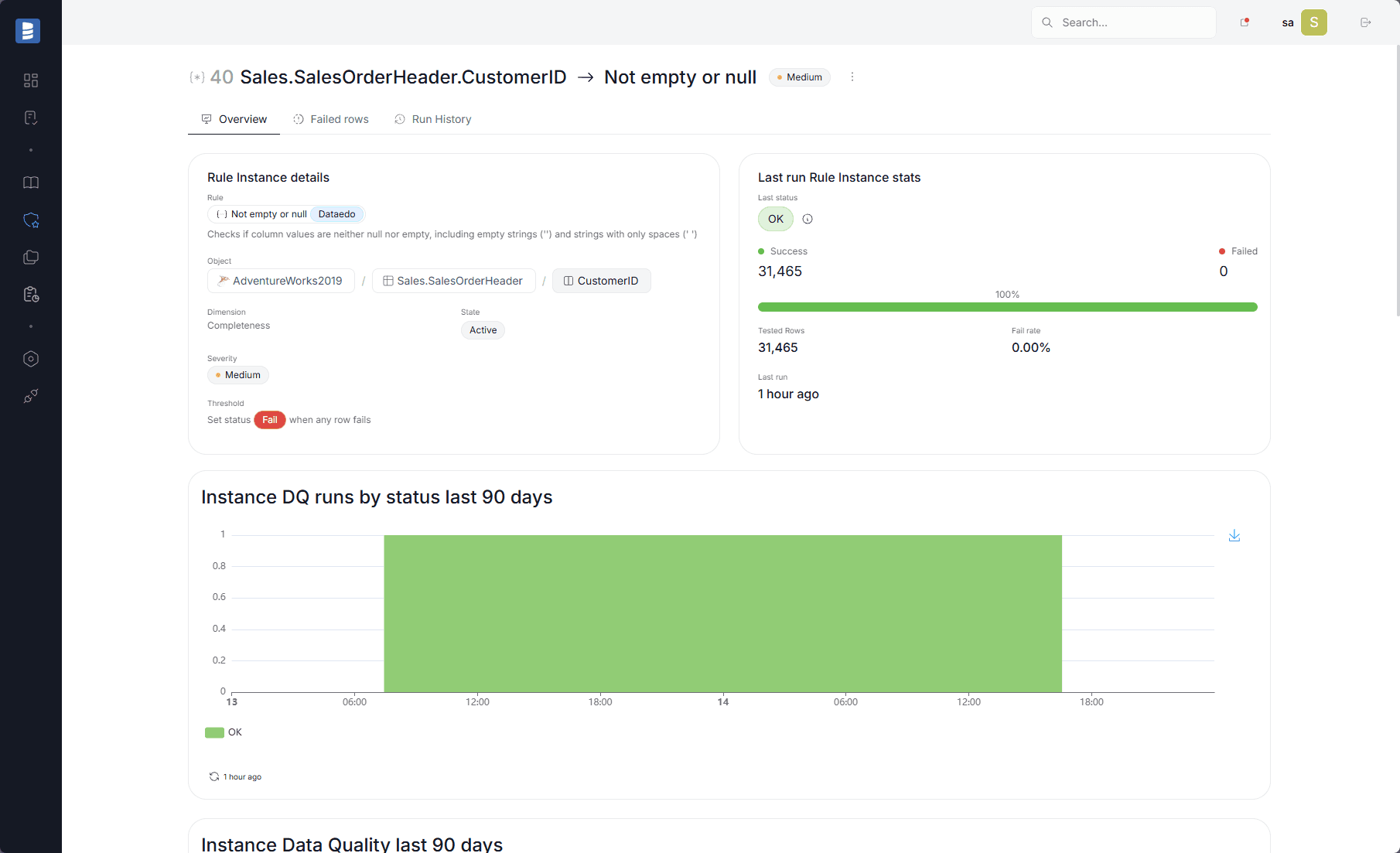 Completeness rule result showing failed rows, threshold status, and severity context in Dataedo.
2. Uniqueness Rules
Protect natural and business keys from duplicates.
Examples:
- unique order number within source system scope,
- one active dimension record per natural key when expected,
- no duplicate rows in bridge tables used for reporting.
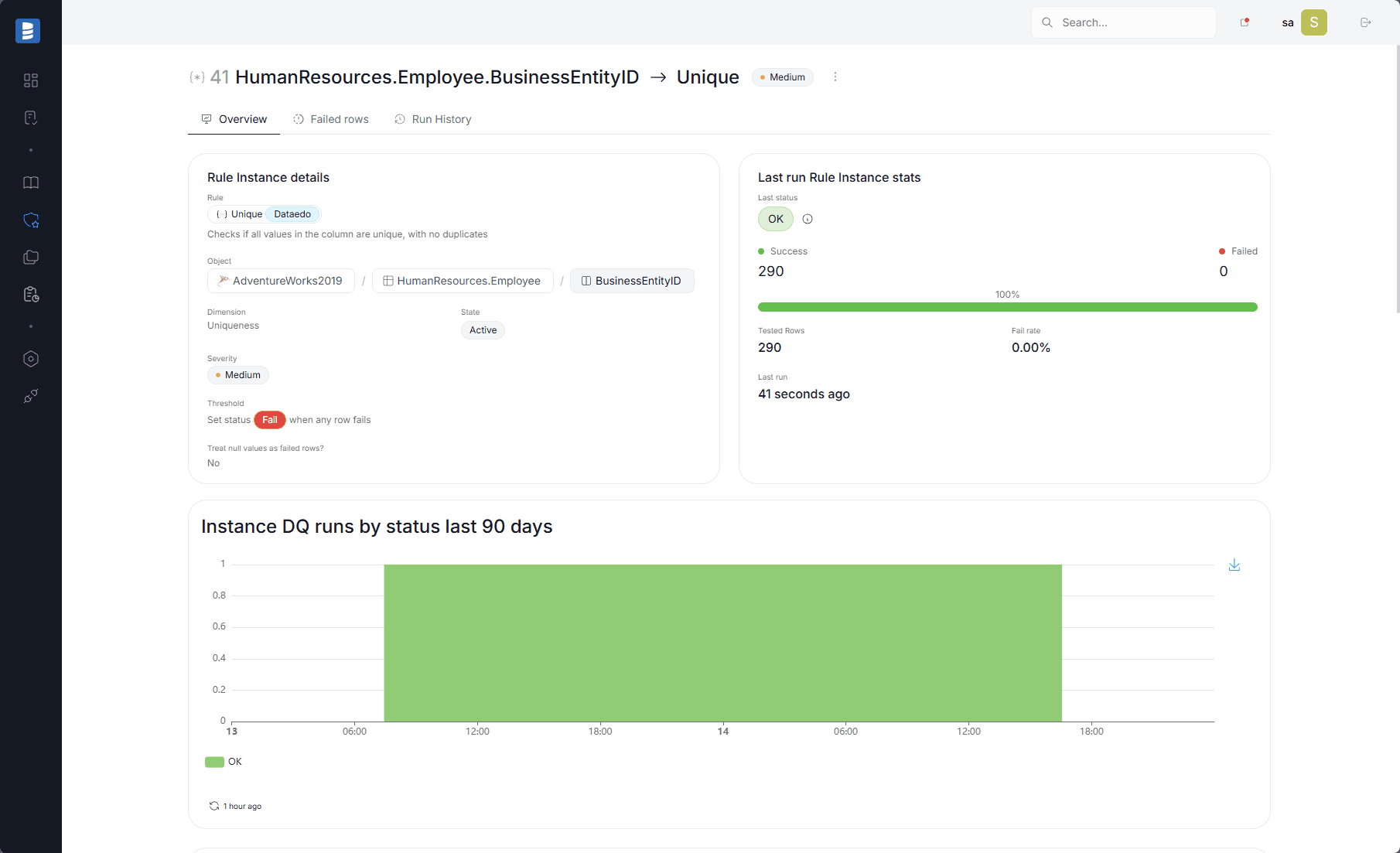 Uniqueness rule result highlighting duplicate values and severity for SQL Server data quality triage.
3. Validity and Domain Rules
Validate business semantics, not only data type compatibility.
Examples:
- status values belong to approved sets,
- monetary values are non-negative where required,
- category codes exist in reference sets,
- start/end dates are logically consistent.
4. Freshness and Timeliness Rules
Many SQL Server quality incidents are freshness failures, not correctness failures.
Examples:
- warehouse load completed before dashboard refresh window,
- staging-to-curated handoff completed within SLA,
- last successful ingestion timestamp within expected threshold.
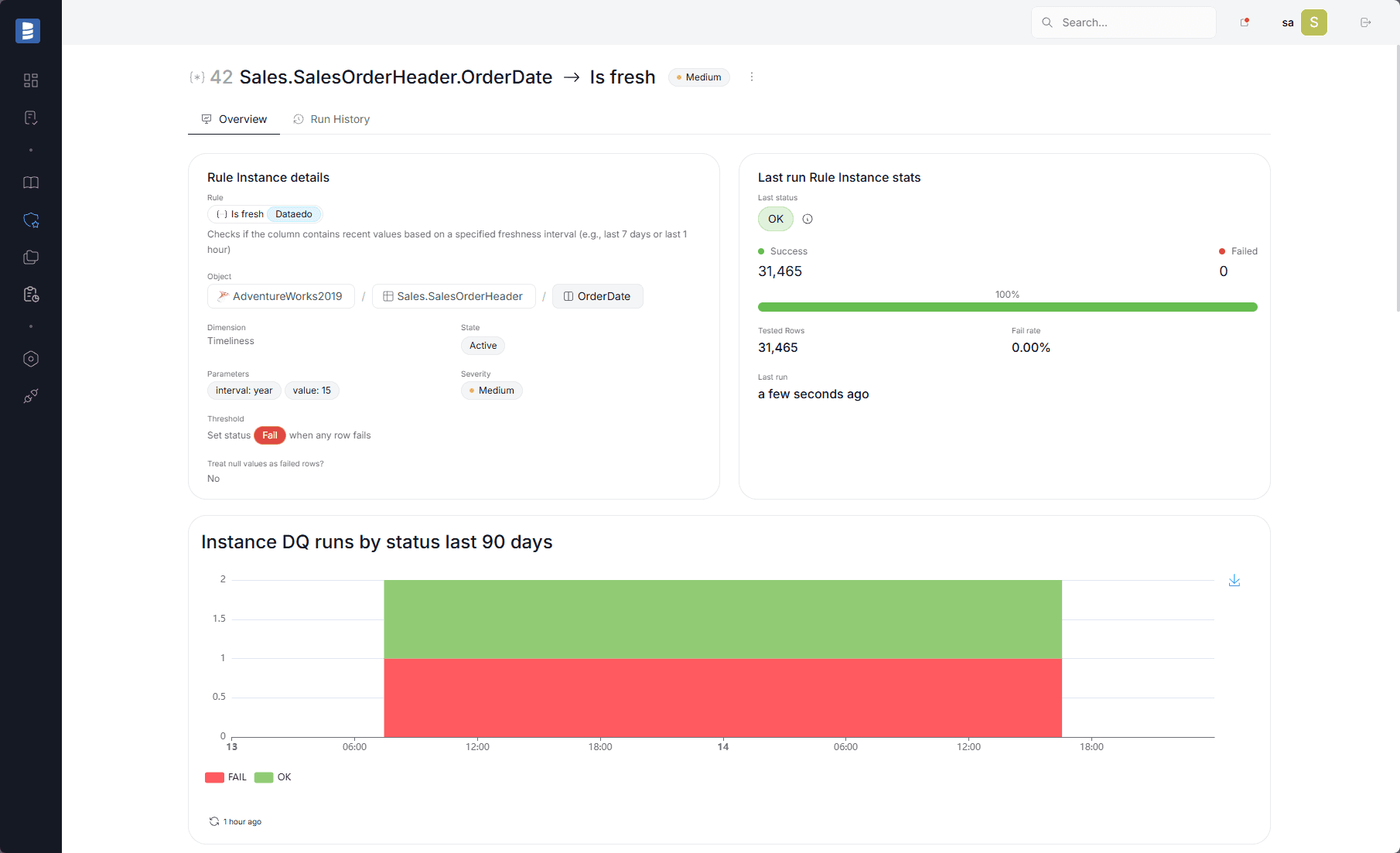 Freshness monitoring view showing how teams can detect stale or out-of-scope analytical data before it affects downstream reporting.
5. Reconciliation Rules
Use reconciliation to catch silent drift between layers.
Examples:
- row-count deltas between staging and curated tables stay within tolerance,
- finance totals match across source-derived and reporting outputs,
- critical dimensions reconcile with source-of-truth extracts.
Best Practice 1: Prioritize Rules by Business Impact
Start where failure is expensive:
- executive KPIs,
- finance and compliance reporting,
- frequently reused dimensions and facts,
- SLA-sensitive operational dashboards.
Use impact over rule volume as the prioritization model.
Best Practice 2: Assign Ownership for Rule Outcomes
Failed rules without accountable owners become unresolved noise.
Define at least:
- owner for acceptance criteria, triage, and remediation.
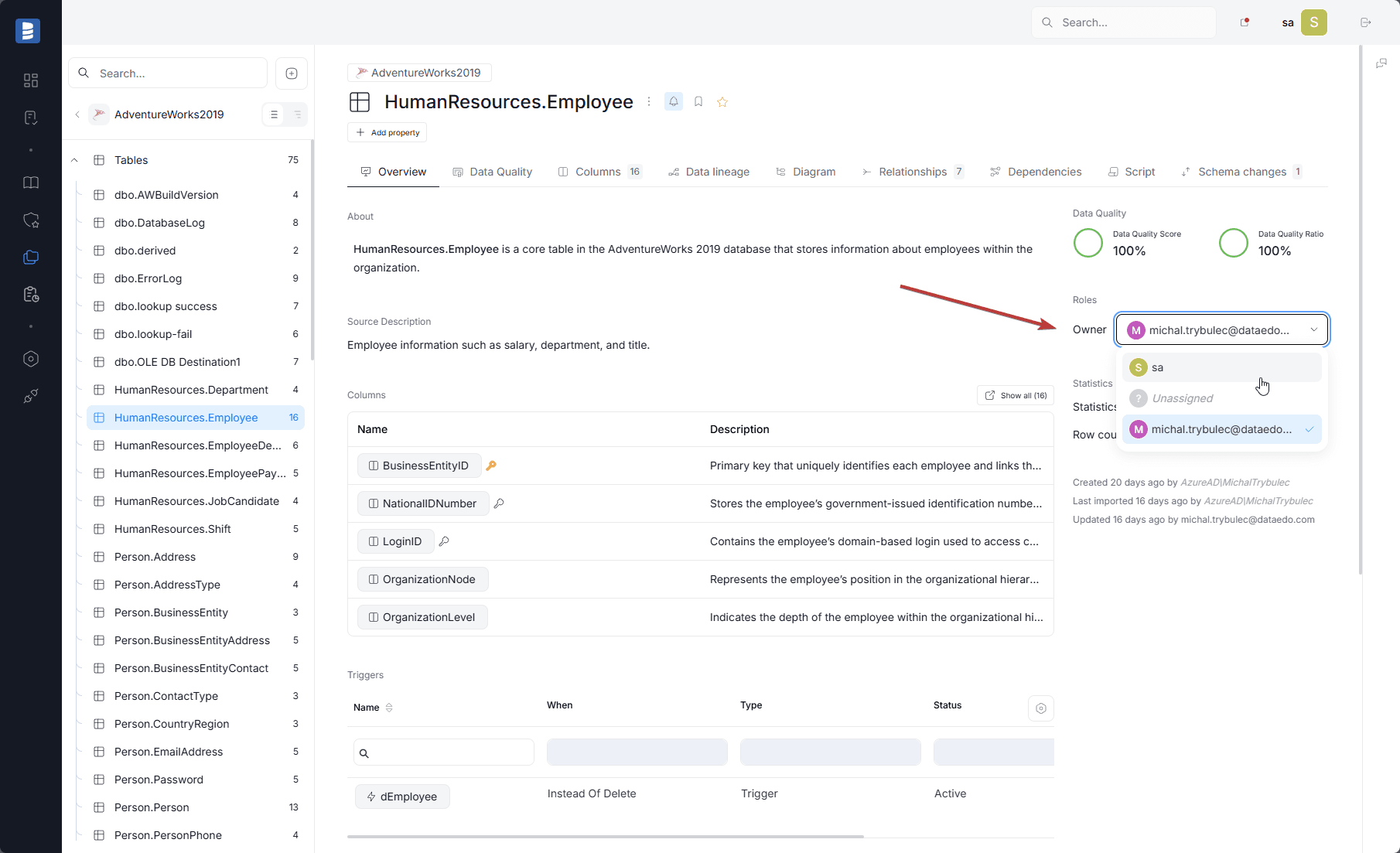 Ownership metadata on a SQL Server asset used to route quality incidents and remediation actions.
Best Practice 3: Link Quality to Object and Column Descriptions
Quality rules work best when they are grounded in documented business meaning.
For critical SQL Server objects and columns, maintain:
- definition and intent,
- accepted values and business rules,
- source-of-truth notes,
- review ownership.
This reduces ambiguity when rule failures are investigated by cross-functional teams.
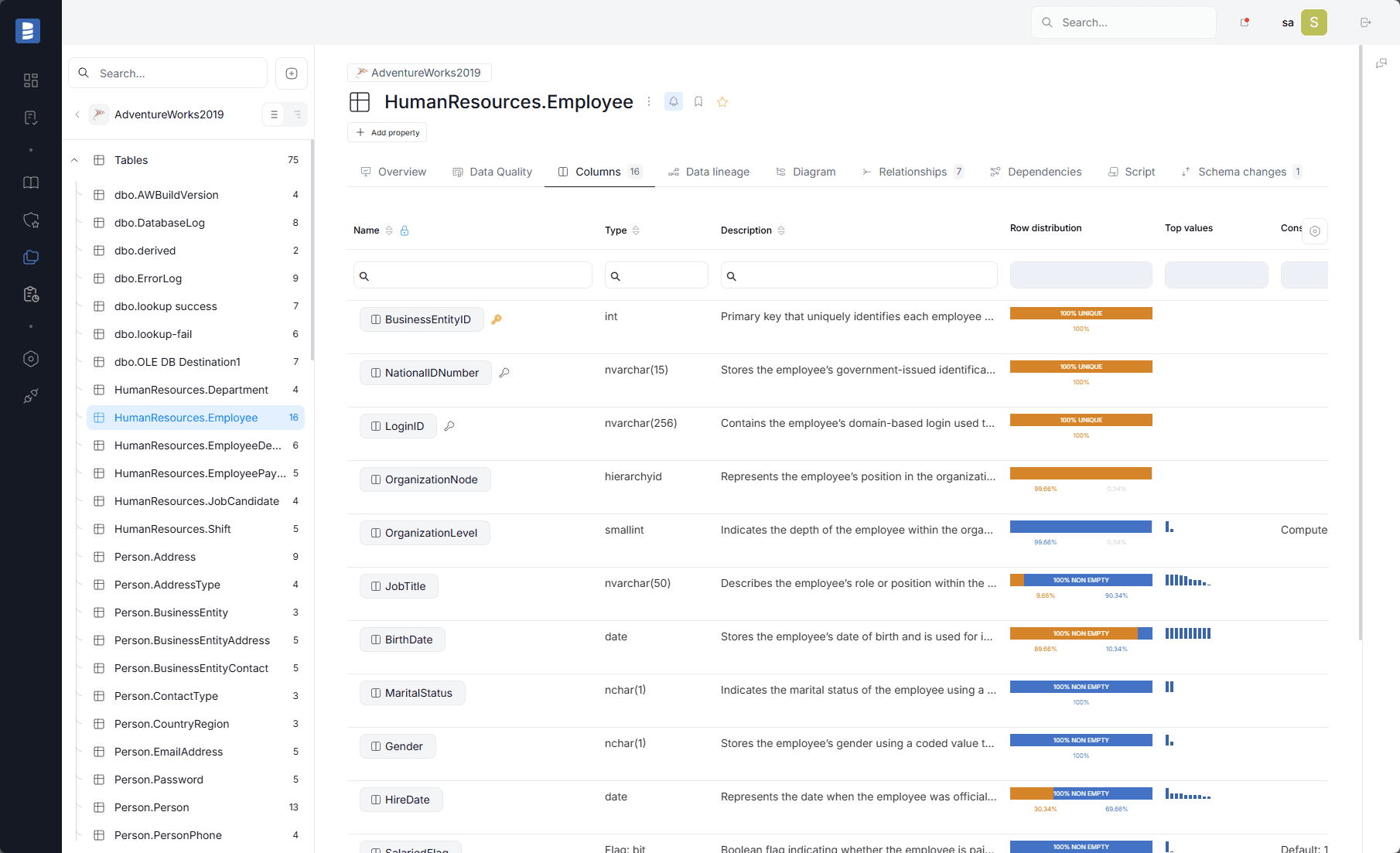 SQL Server object and column descriptions in Dataedo used to document rule intent and business meaning.
Best Practice 4: Use Lineage to Triage Quality Incidents
Not all quality failures are equal. Lineage helps teams prioritize remediation by impact.
Use lineage to identify:
- which views, procedures, or functions propagate the issue,
- which downstream reports/KPIs are exposed,
- which teams and owners must validate the fix first.
This is especially valuable in SQL Server environments where business logic may be spread across views and routines.
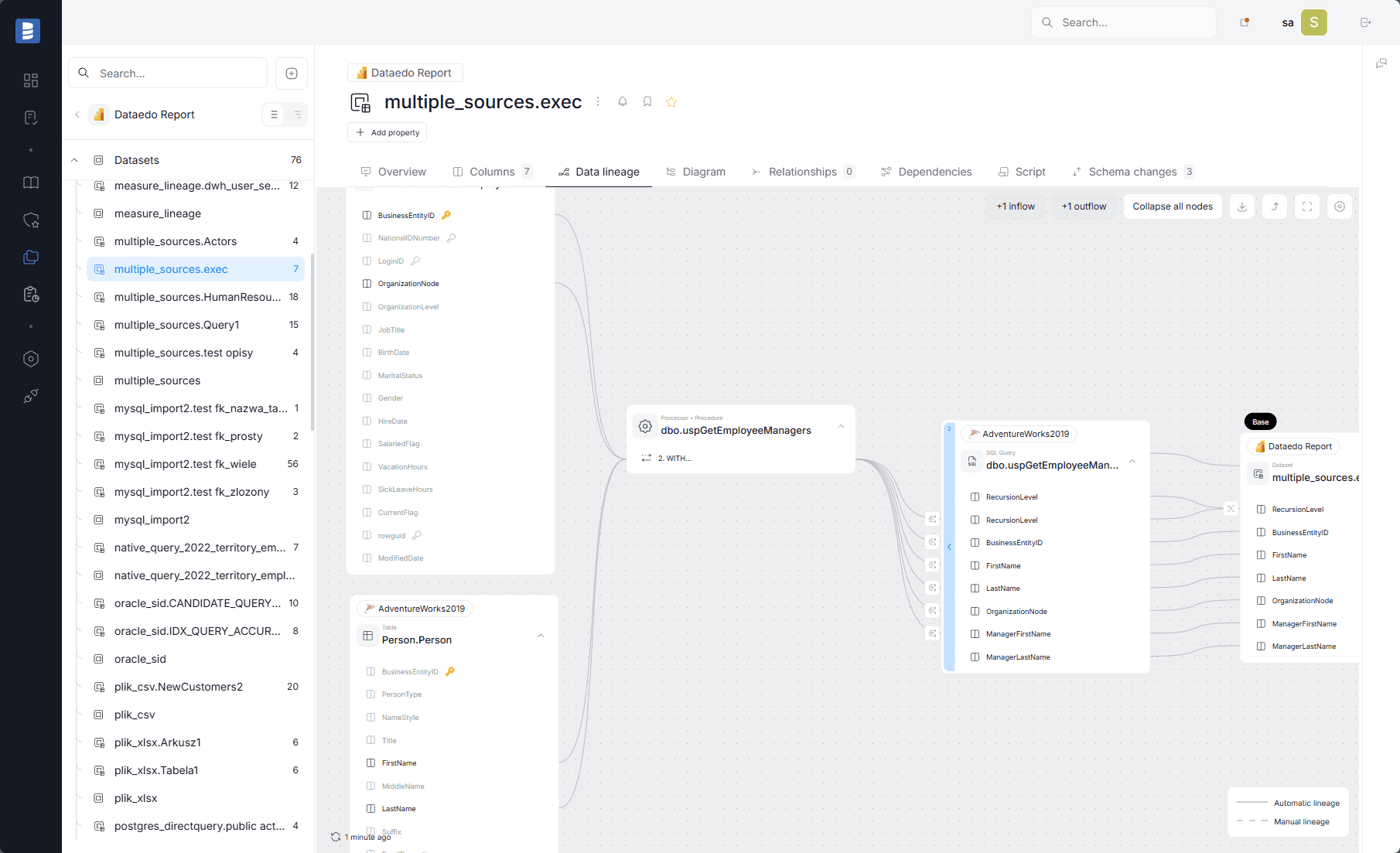 Column-level lineage used to assess downstream KPI/report impact of a SQL Server data quality defect.
Best Practice 5: Add Quality Gates to Release Workflow
Before deployment, validate:
- impacted rule outcomes,
- schema compatibility with existing rules,
- downstream KPI behavior on changed fields,
- validation ownership and signoff scope.
Quality gates reduce “successful deployment, broken analytics” outcomes.
Best Practice 6: Monitor Trends, Not Only Point Failures
Single failures matter, but recurring patterns matter more.
Track over time:
- pass/fail ratios,
- recurring failure classes,
- domain-level drift,
- severity trends by business area.
Trend analysis helps teams improve process quality, not only individual fixes.
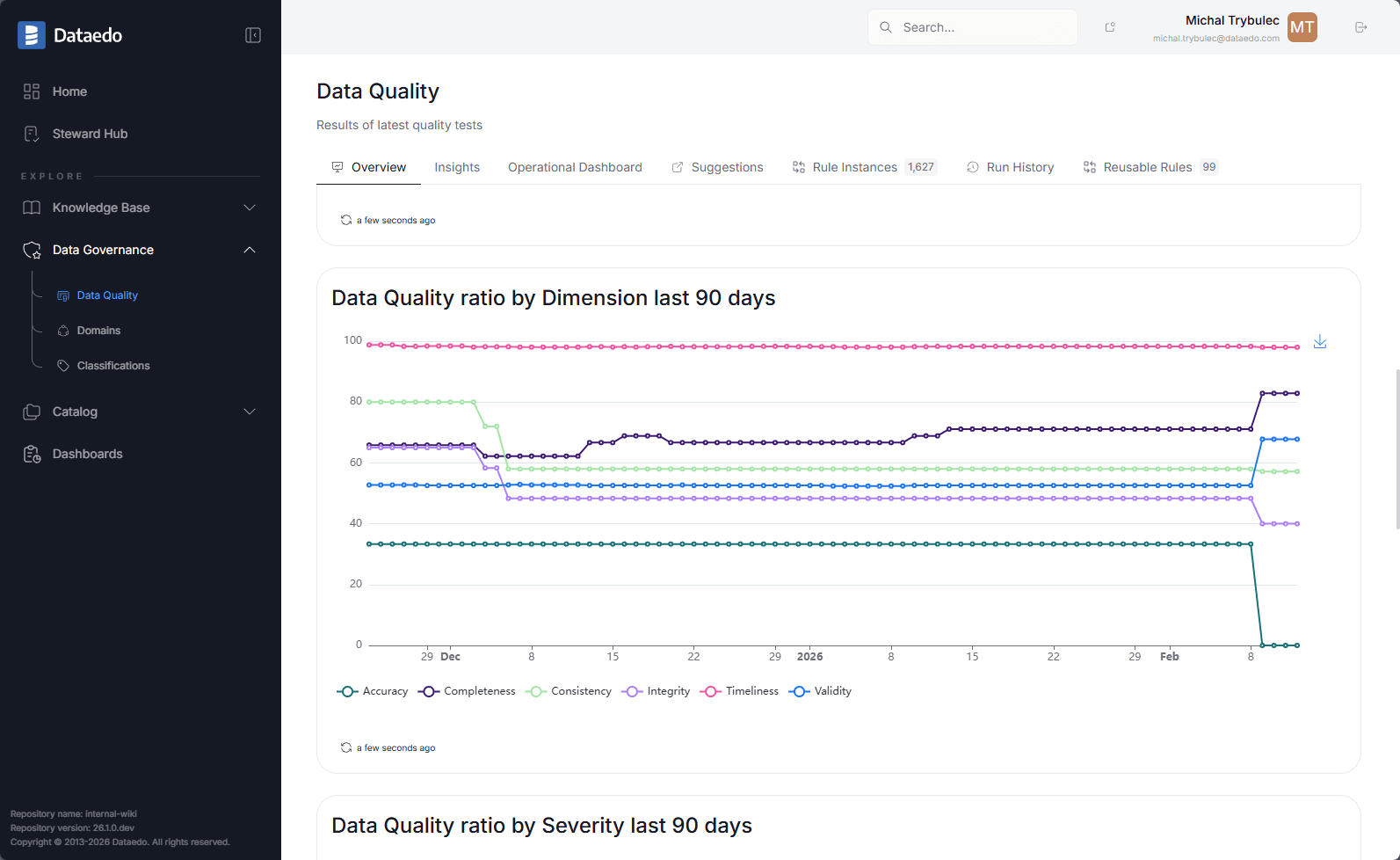 Time-series quality trend analysis by dimension and severity for SQL Server data assets.
How Dataedo Helps Operationalize SQL Server Data Quality
Dataedo helps teams connect quality controls with governance and impact context:
- rule definition and execution tracking,
- quality signals shown near metadata and lineage,
- ownership-aware remediation routing,
- impact-aware triage using lineage,
- support for release-stage validation workflows.
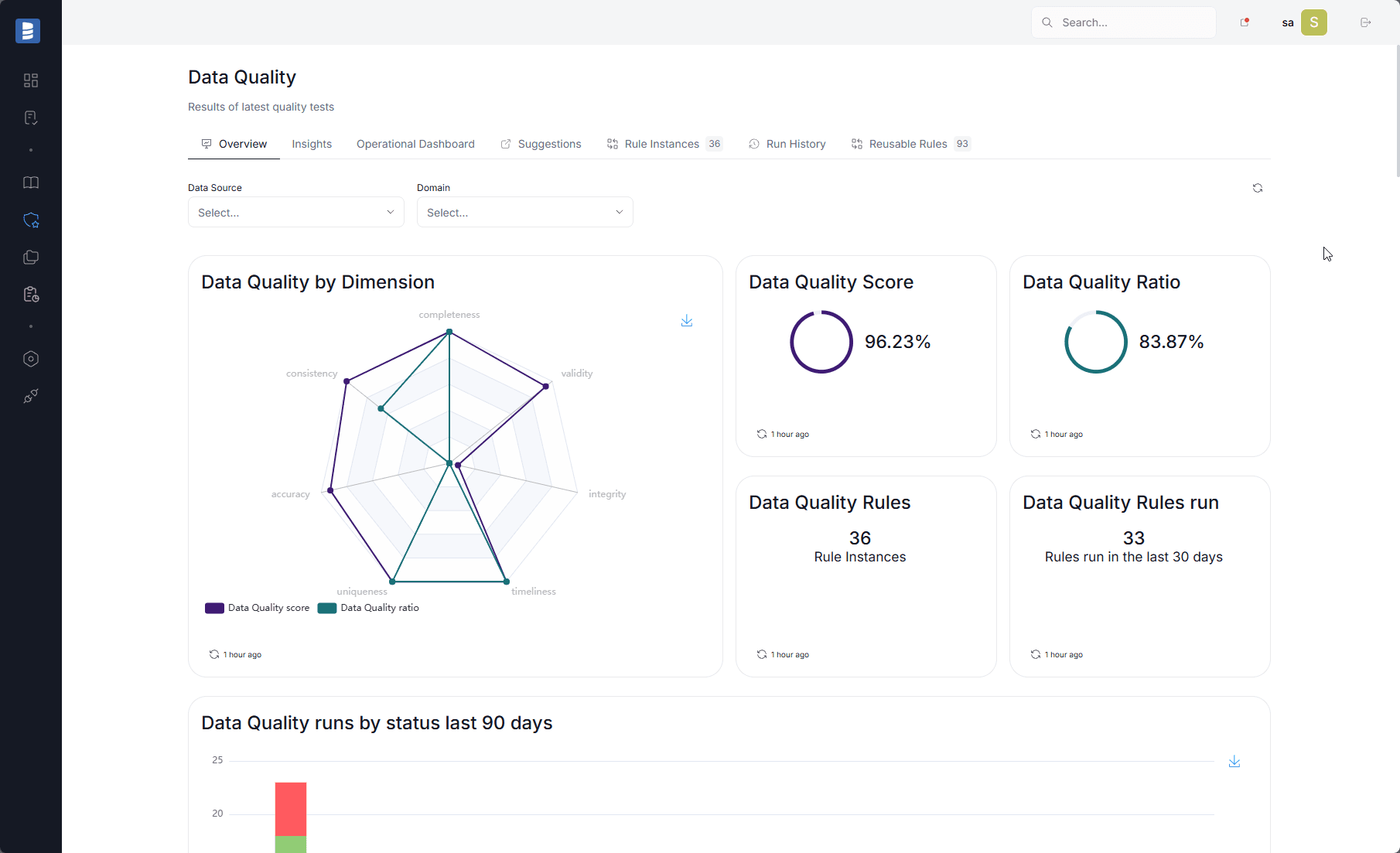 Data Quality rules dashboard showing status, severity, and execution scope for SQL Server assets.
Common Mistakes to Avoid
- Measuring quality without business context - Metrics without KPI or domain linkage rarely drive the right action.
- Treating all rules as equal - Severity and response expectations should reflect business impact.
- Running checks without clear remediation flow - No owner, no closure.
- Ignoring lineage during incident response - Without dependency visibility, triage becomes slower and less accurate.
- Optimizing for rule count - Focus on actionable controls on high-impact assets.
Frequently Asked Questions
Where should SQL Server quality checks start first?
Start with KPI-driving facts, shared dimensions, and high-visibility reporting outputs.
How often should checks run?
Usually both continuously (or scheduled) and as part of release validation.
Can quality improve without lineage?
Partially. Lineage is what makes triage and prioritization impact-aware.
What makes SQL Server data quality sustainable?
Ownership, documented rule intent, severity discipline, and integration with release workflow.
Final Takeaway
SQL Server data quality is not a one-time check. It is an ongoing governance workflow.
Teams that combine quality rules, ownership, lineage, and release gates build faster and more trusted analytics.
See how Dataedo helps teams operationalize SQL Server data quality with governance context and impact-aware workflows. Book a demo or start a free trial.